Physical Computing

Weekly Activity Template

Yvy Ong - This is my journey exploring and researching to create a concept for my deisgn path.


Module 1


Activity Research

These in-class activities helped me to understand the capabilities of the Arduino Uno, ProtoPie, and TouchDesigner which would inform the path I wanted to take for my final project.

Activity 1
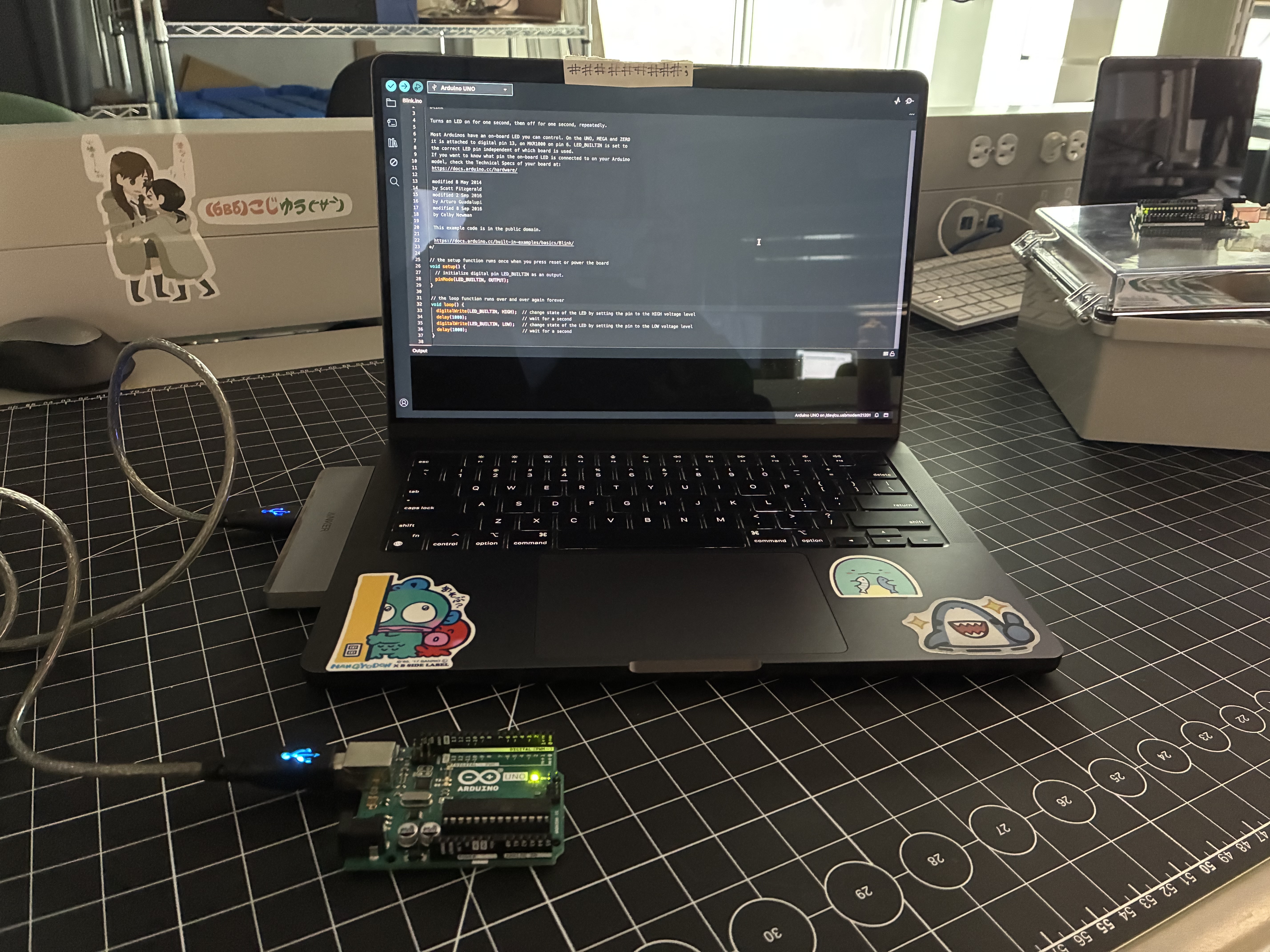
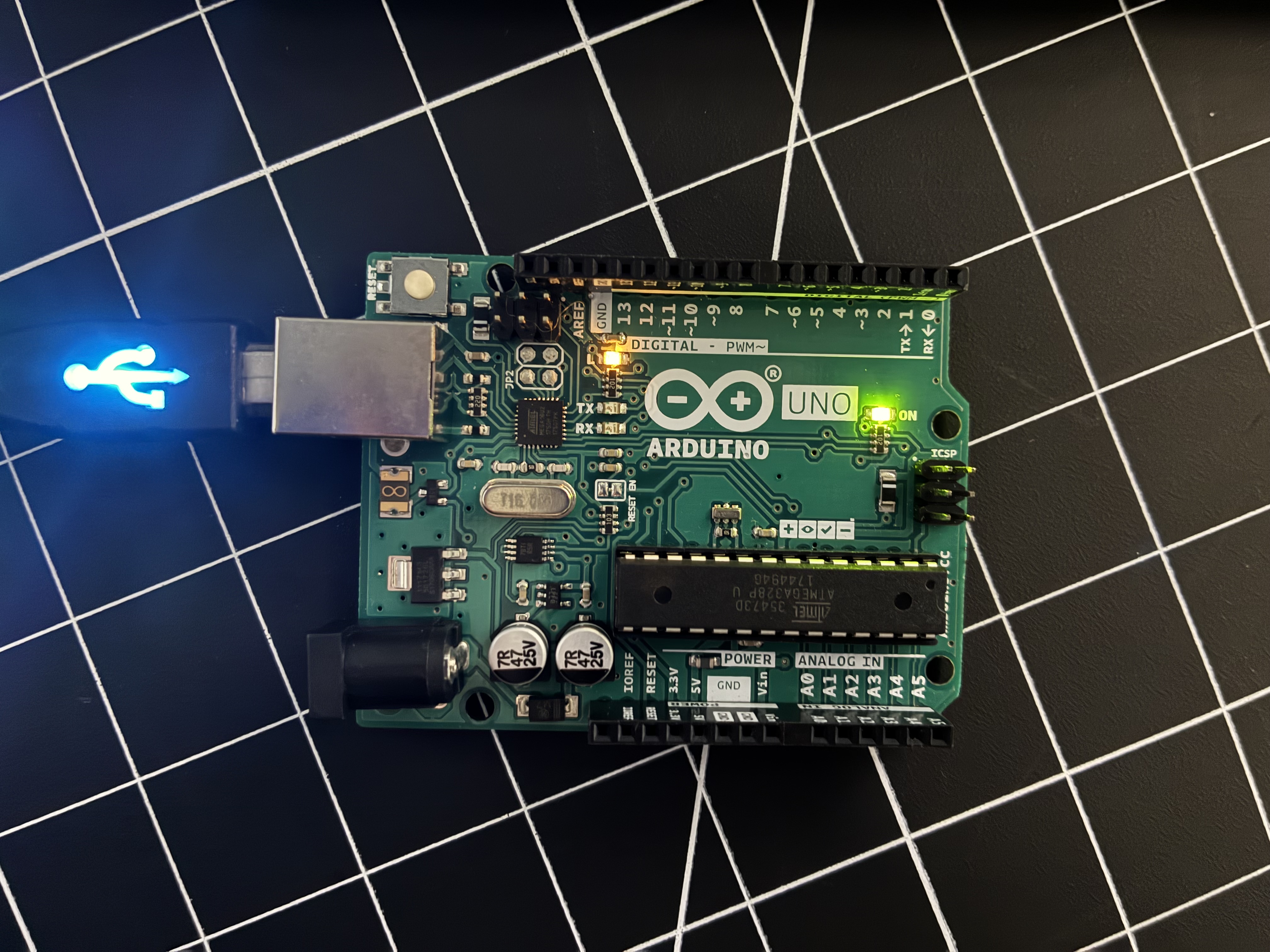
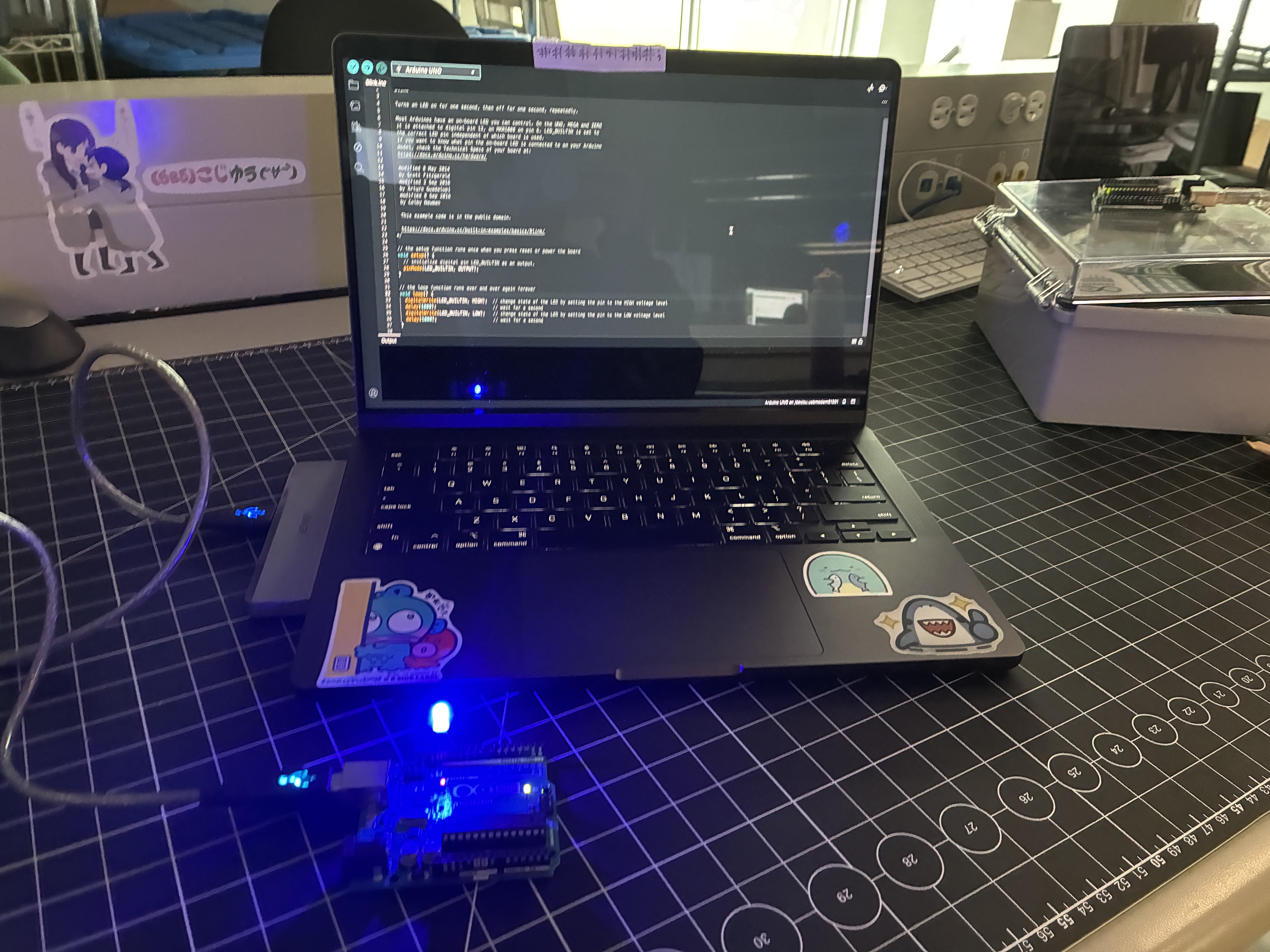
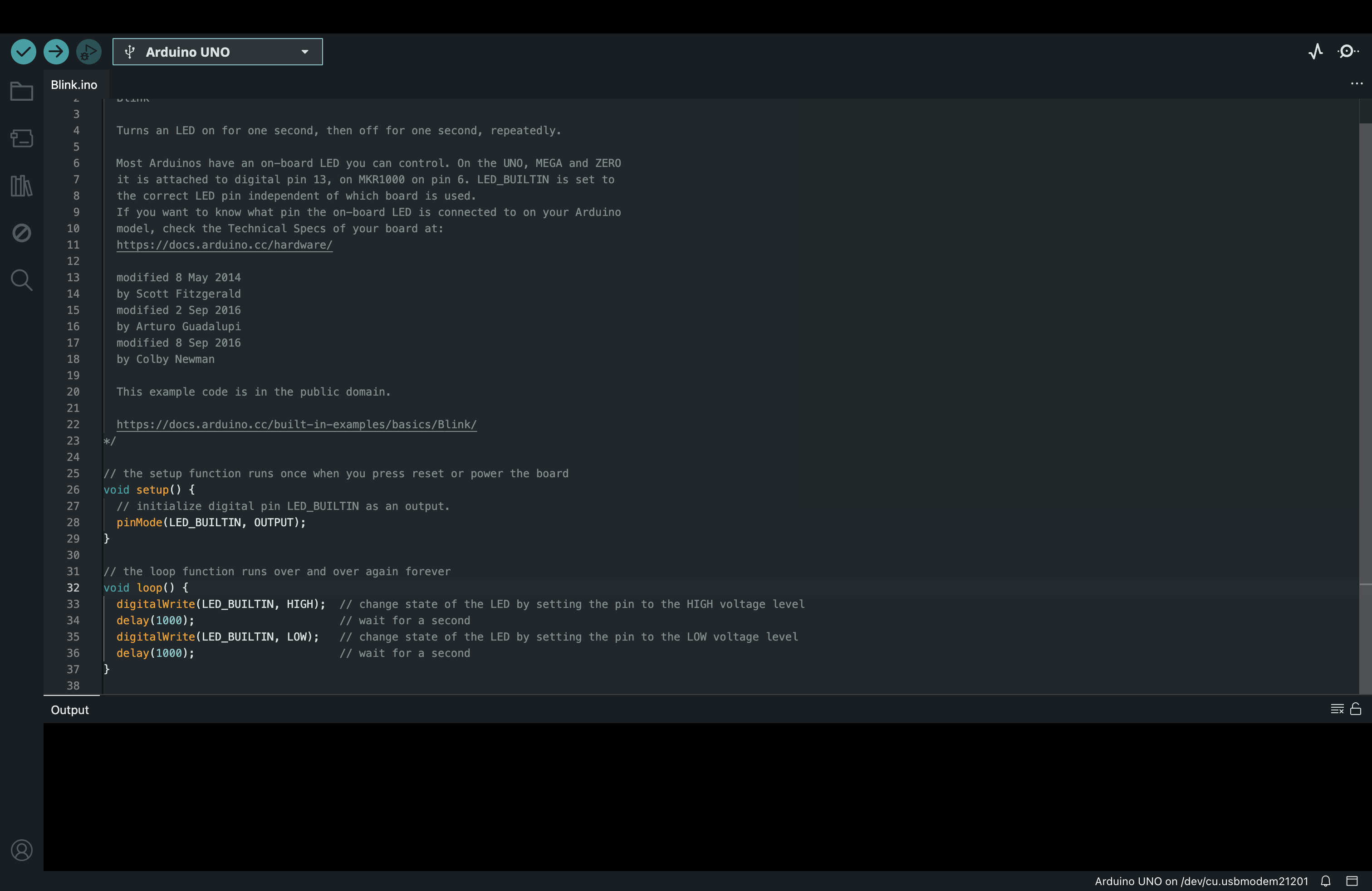
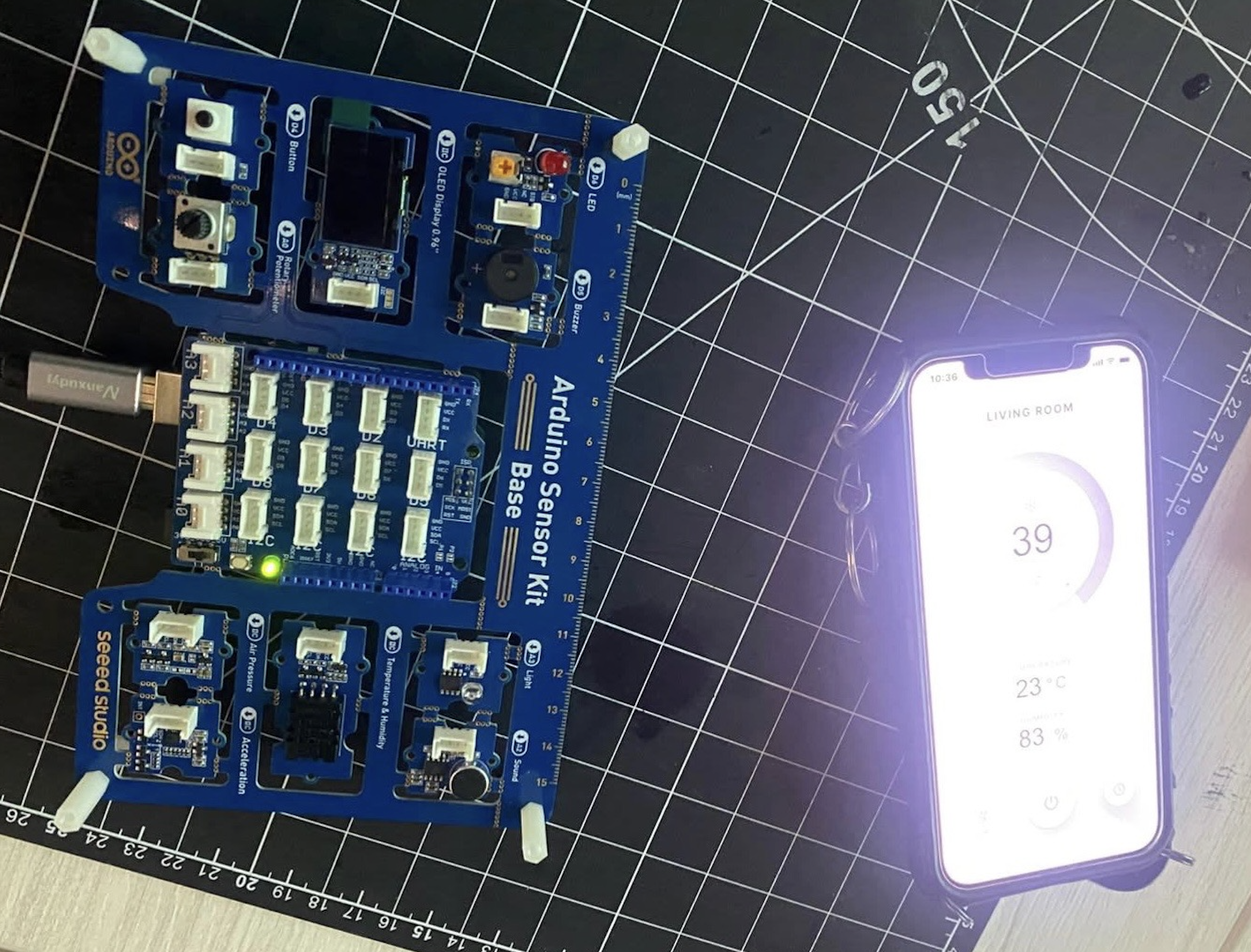
This is the arduino uno connected to my laptop. It's running a preset code that makes the built-in LED light blink about every second. This is a close up image of the arduino uno while it's connected to the preset code running on my laptop. The built-in LED light and the light to signal that power is being supplied to the arduino is on during this picture . I inserted the negative side of the LED light into the ground pin and the positive side of the LED light into pin 13. The LED light is on/blinking during this picture. This is the preset code that I used to make the built-in LED light blink. The code is written in C++. This is an example that was shown in class of an arduino hooked up to a digital interface. Temperature and humidity was recorded on the arduino and it was visually shown on a phone (digital interface).

Activity 2

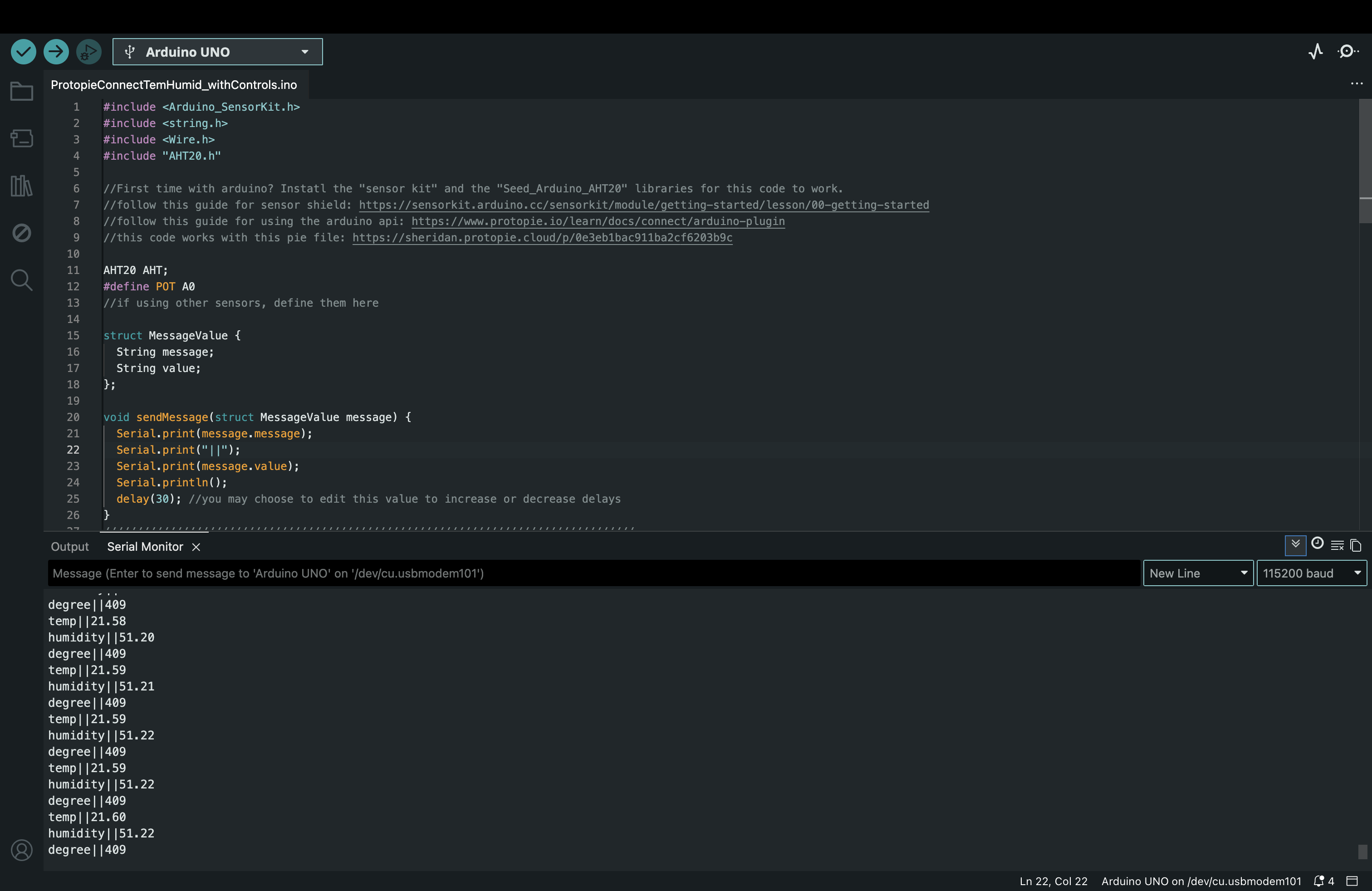
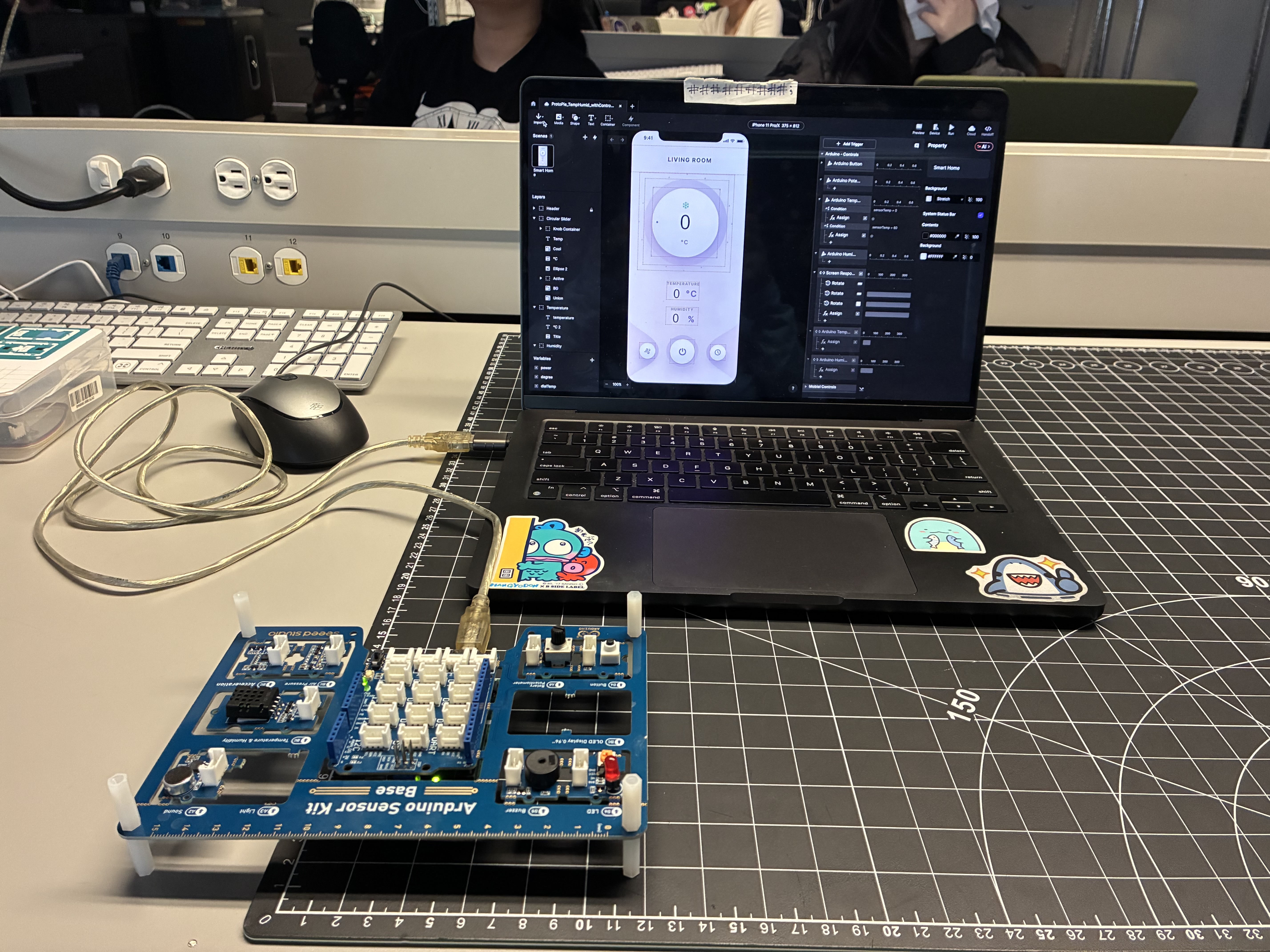
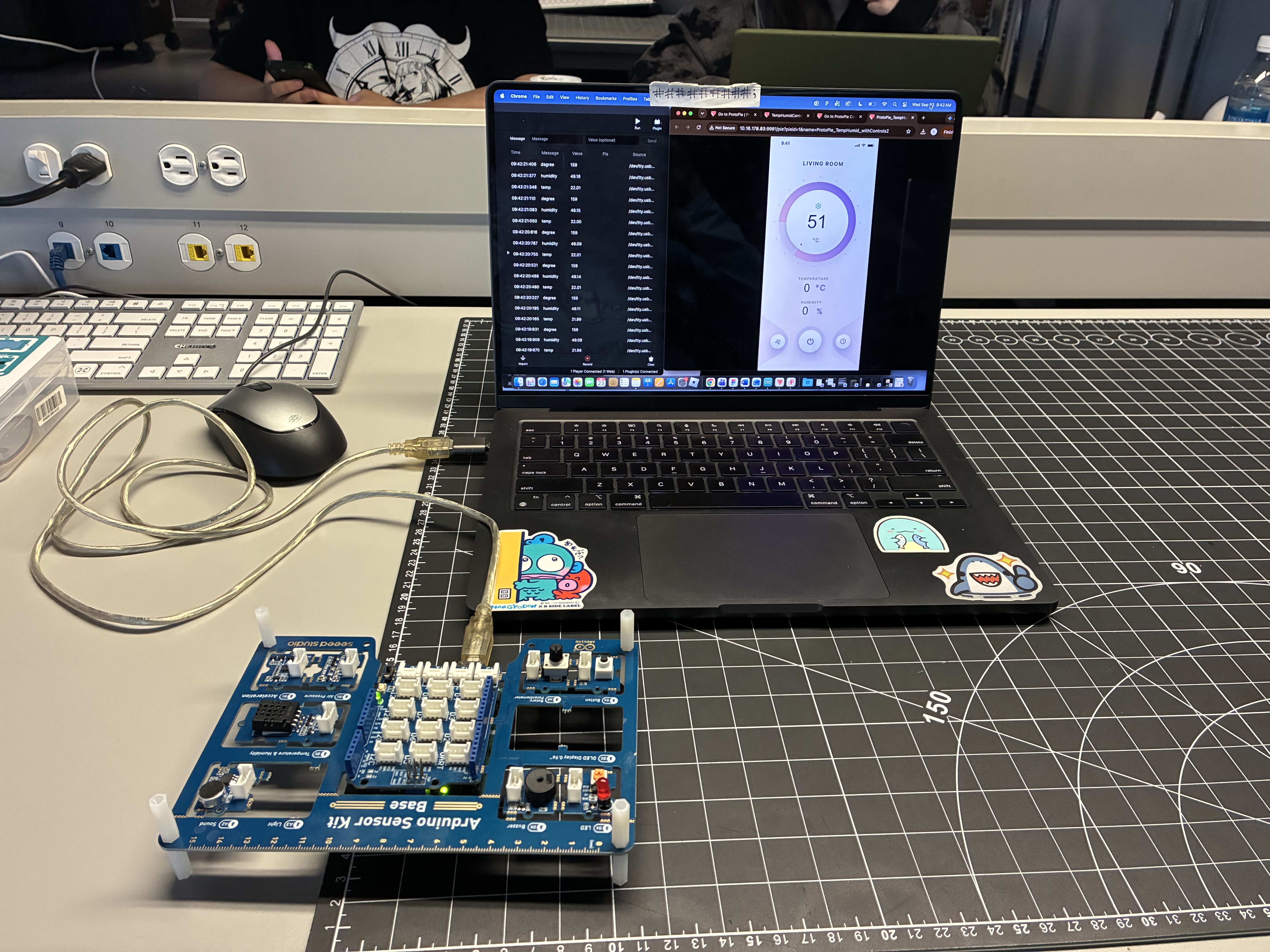
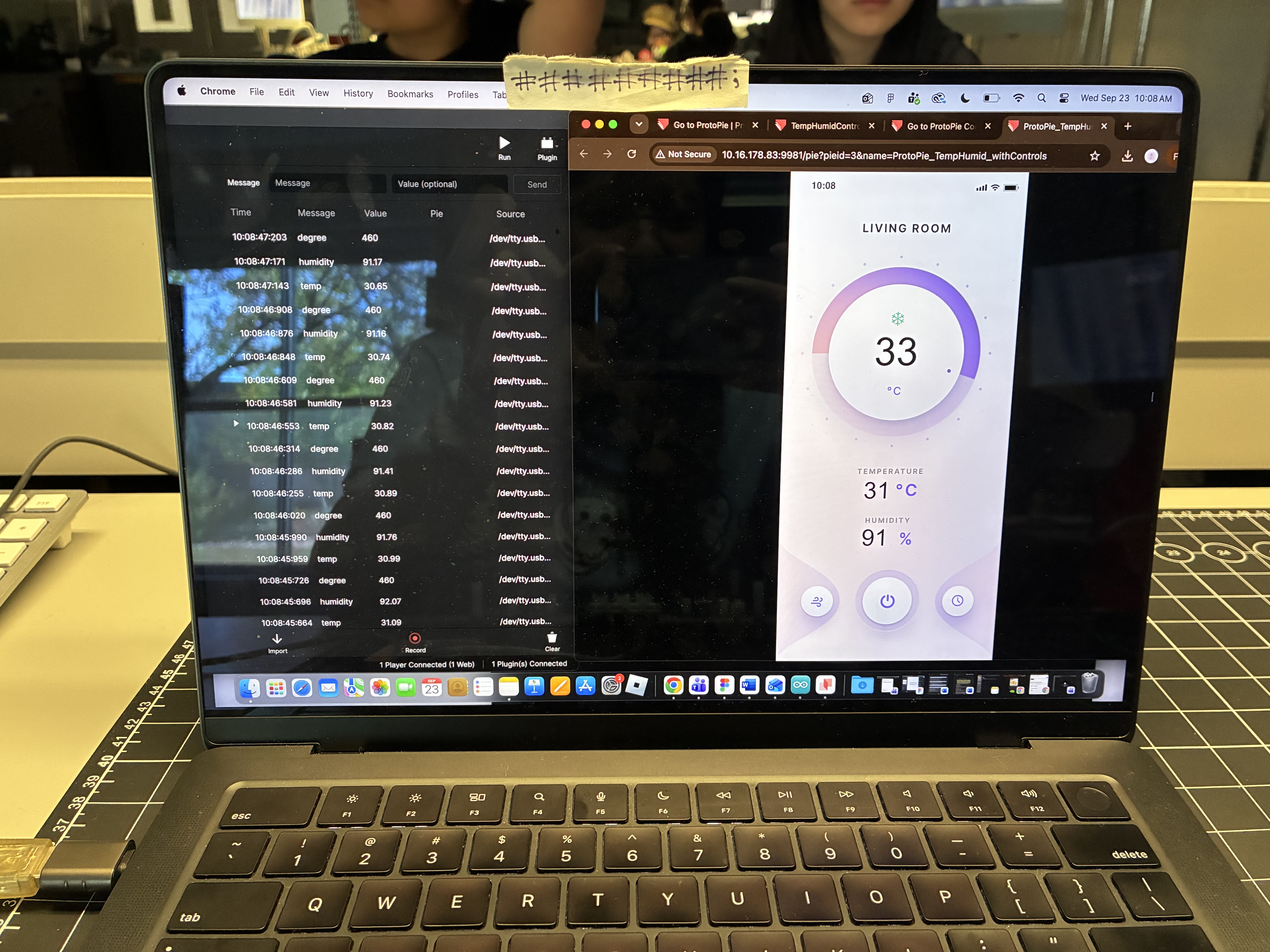
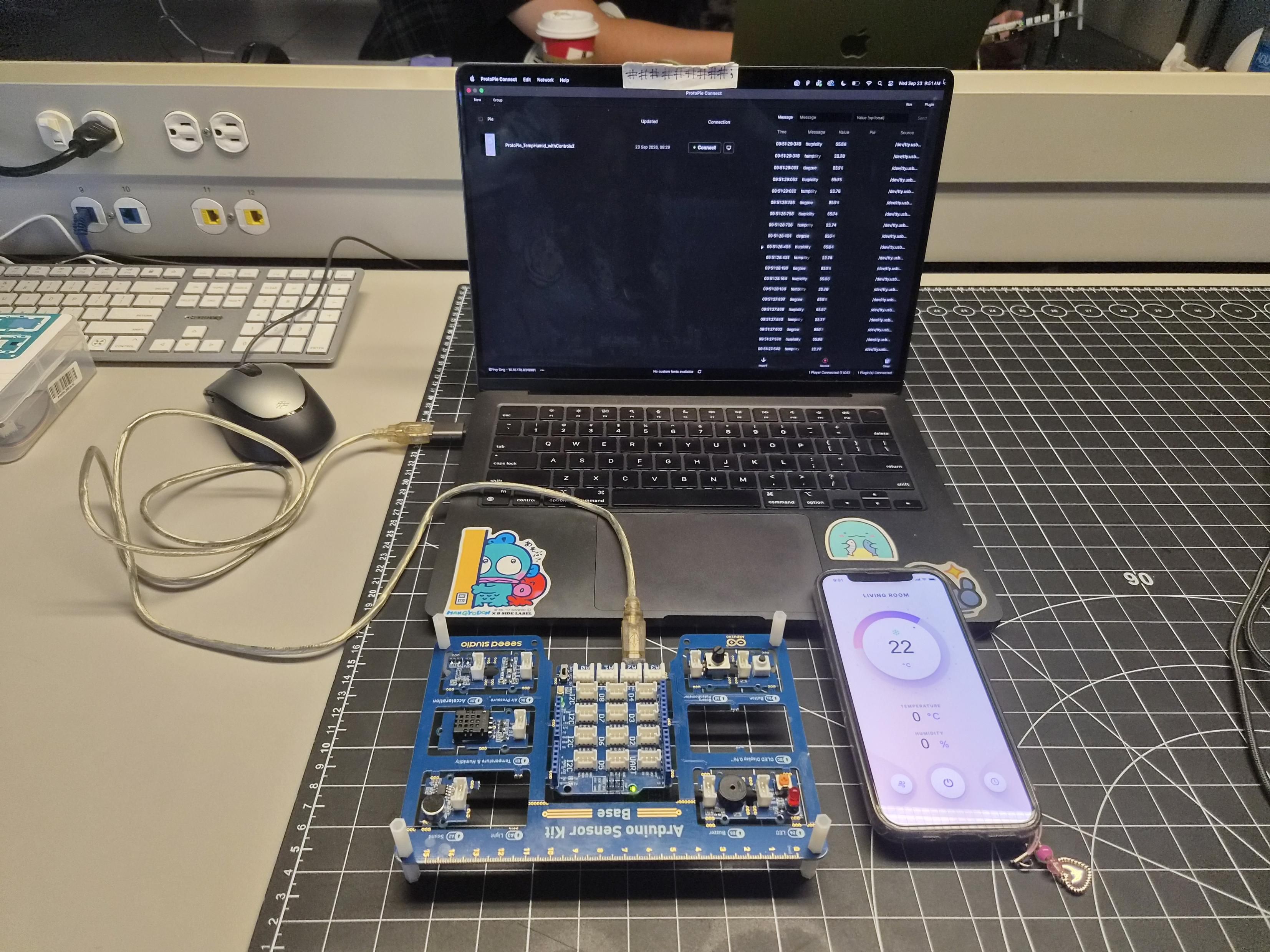
This is pre-made code that was provided in class. This screenshot shows the use of 'serial monitoring' which is a tool that allows the Arduino's sensor readings to be displayed on the computer. This is the Arduino Uno connected to my laptop. I have Protopie open with the pre-made design of an app prototype that displays humidity, temperature, and let's the user control the temperature of a room. I was having some trouble with accessing this file properly since Protopie wasn't registering that my account was connected to the Sheridan enterprise. In order to resolve this I logged out then logged back in and it worked. I have Protopie Connect, a web browser of the pre-made prototype, and the Arduino Uno connected to my laptop. The Arduino Uno is supposed to be able to use its sensor to read the temperature and humidity of the room and display it on the prototype. In this image, I could only change the temperature of the room using the dial on the prototype, it was sensing changes but it was not displaying them. This issue was resolved by using the proper file that was provided in class. This image shows the prototype functioning properly after using the correct file. I used my breath on the sensor to change the temperature and humidity readings, it also worked on my phone. I took a picture of my screen because I was so stoked that it worked I forgot I could just take a screenshot. This is an image of the prototype functioning with the Arduino Uno connected to my laptop and my phone.

Activity 3

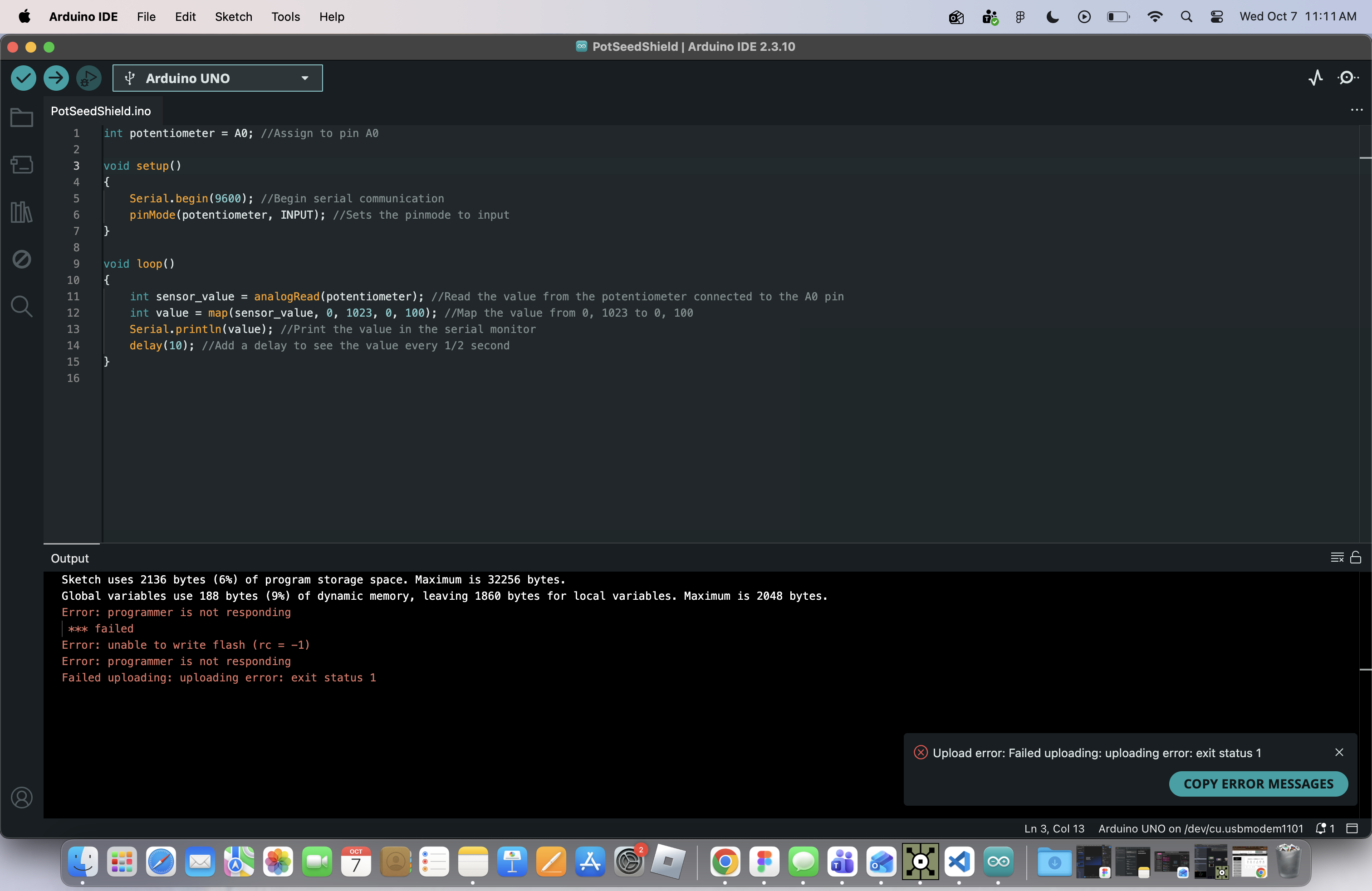
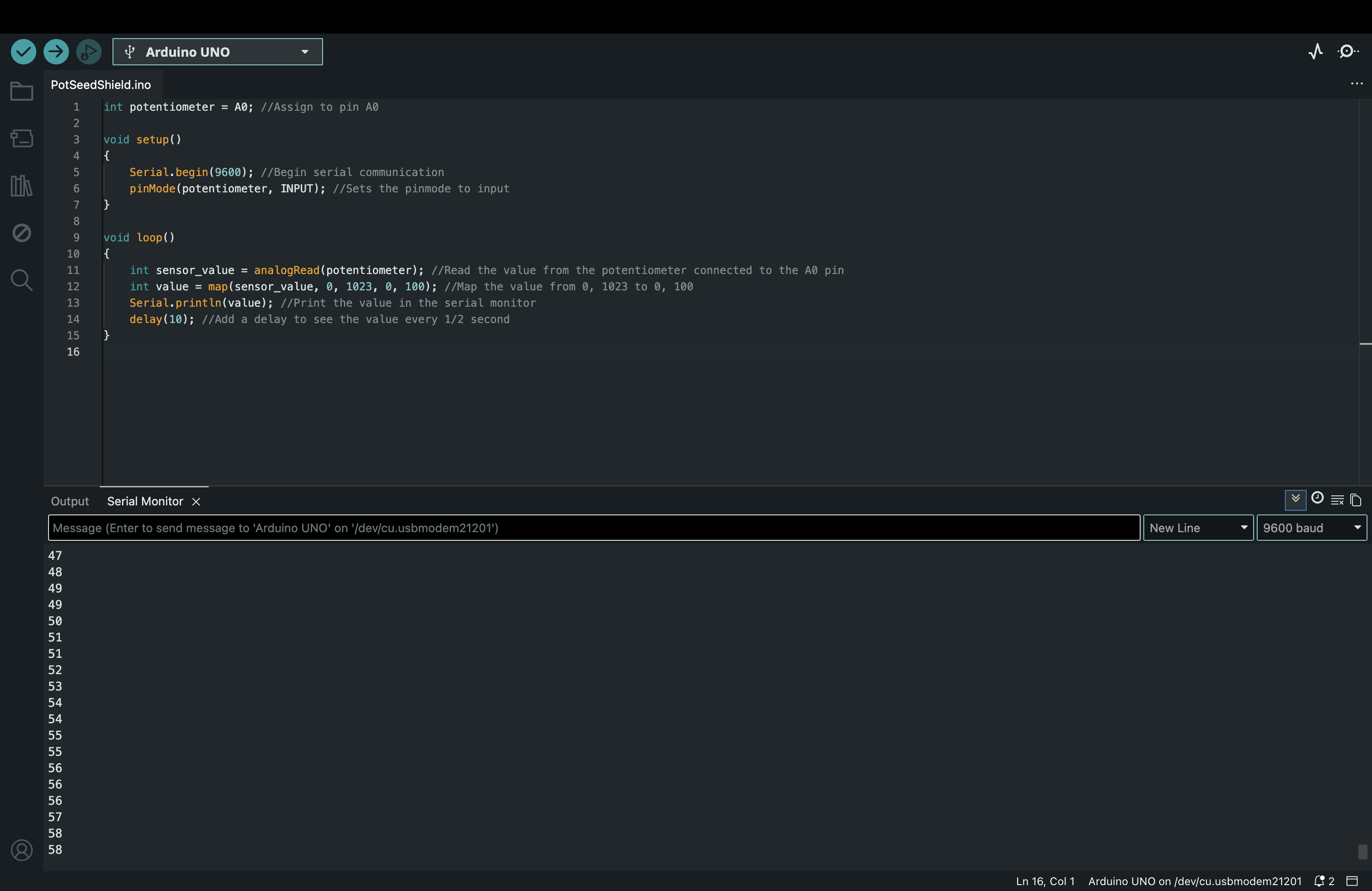
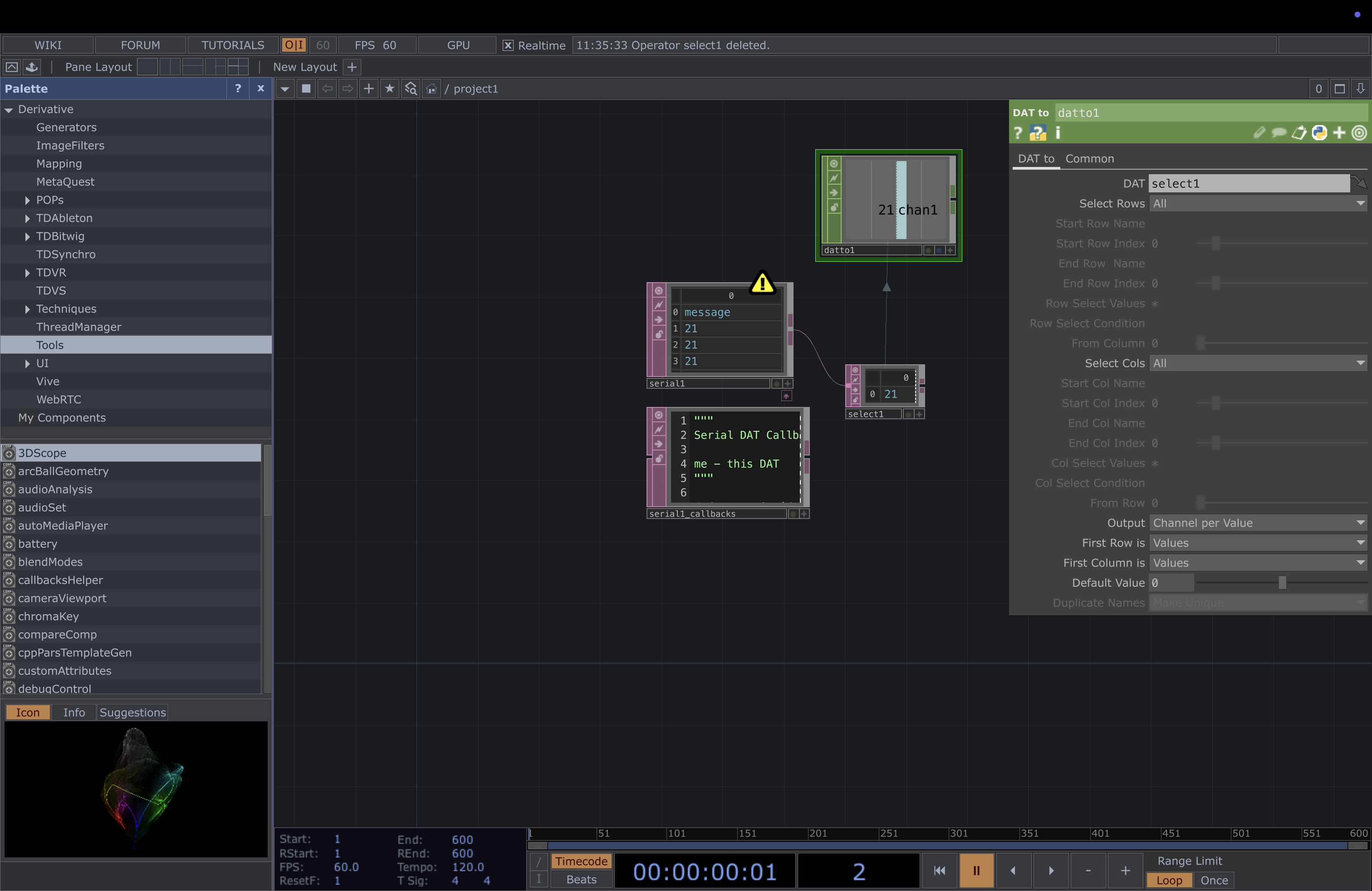
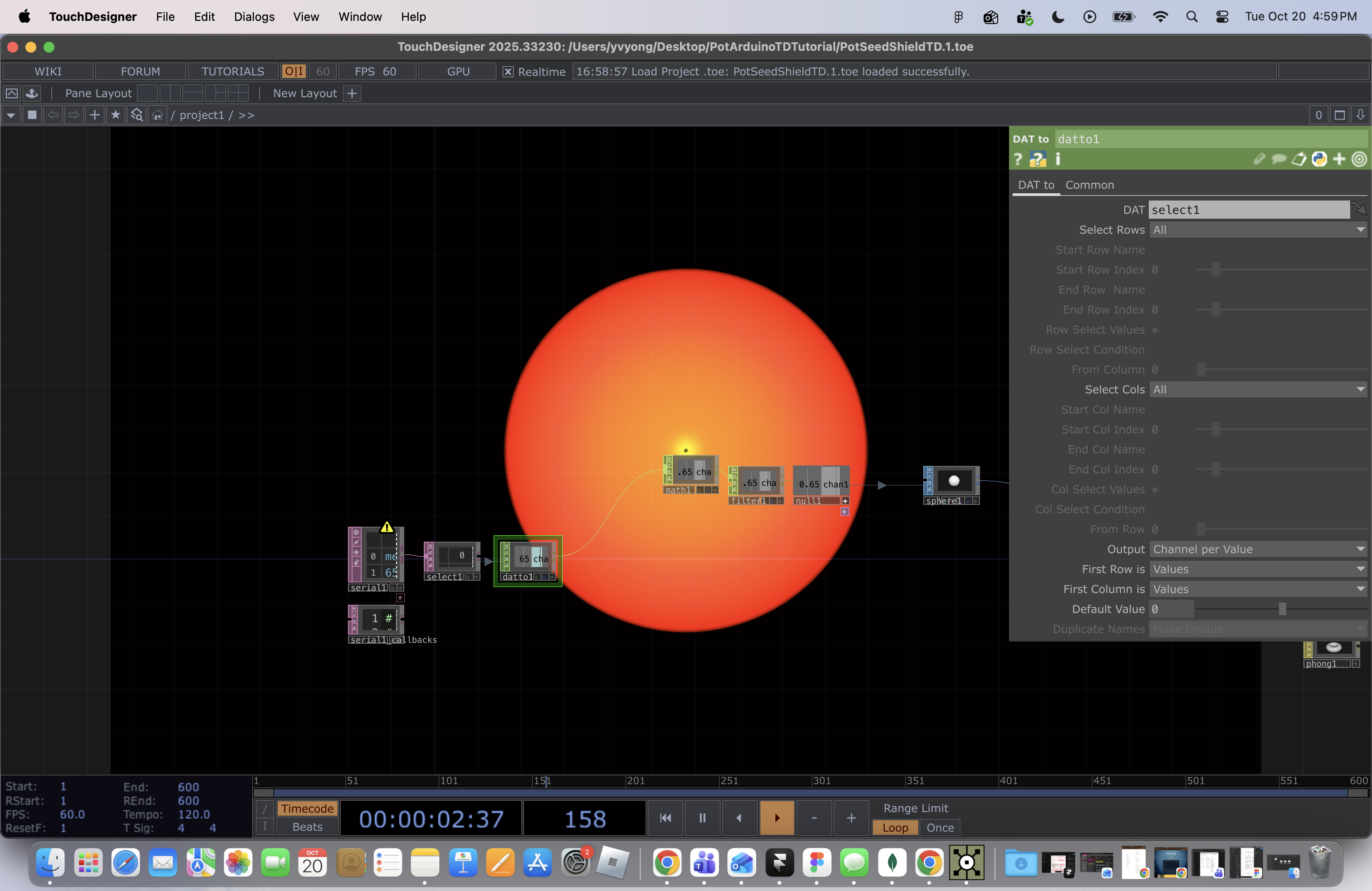
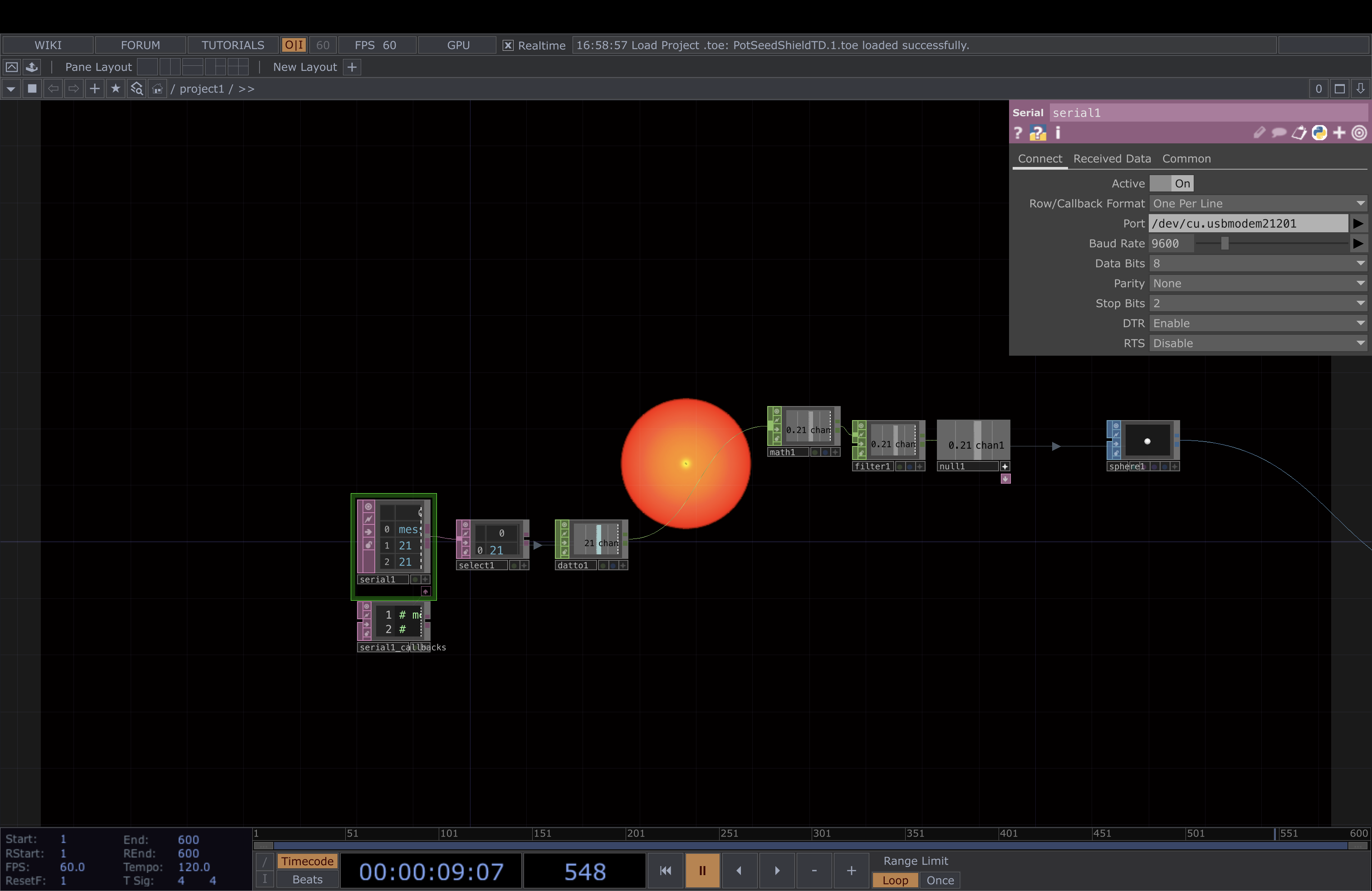
When I first tried to run the Arduino code it kept giving me this error and wouldn't allow my Arduino Uno to connect properly. After some troubleshooting, I realized it was my adapter that was the issue. After retrieving a new one from my professor the code worked. Here is the code with the serial monitor on. It was functioning properly and I was turning the knob of the Arduino as I took a screenshot so you can see the numbers gradually increasing. After getting it to function I did the in-class activity COMPLETELY wrong because I missed the tutorial while waiting for food. I ended up following the word document instructions which was much more complex then what we had to do. This is the ACTUAL touch designer file I was supposed to work with. This is what the file looks like not connected to the arduino code. This is what the touch designer file looks like when the knob is turned down on the arduino and is connected to the arduino code.

Research Activity


Consumer Trend Research

I found two articles on my own that I believed covered interesting trends that also had potential for my project.
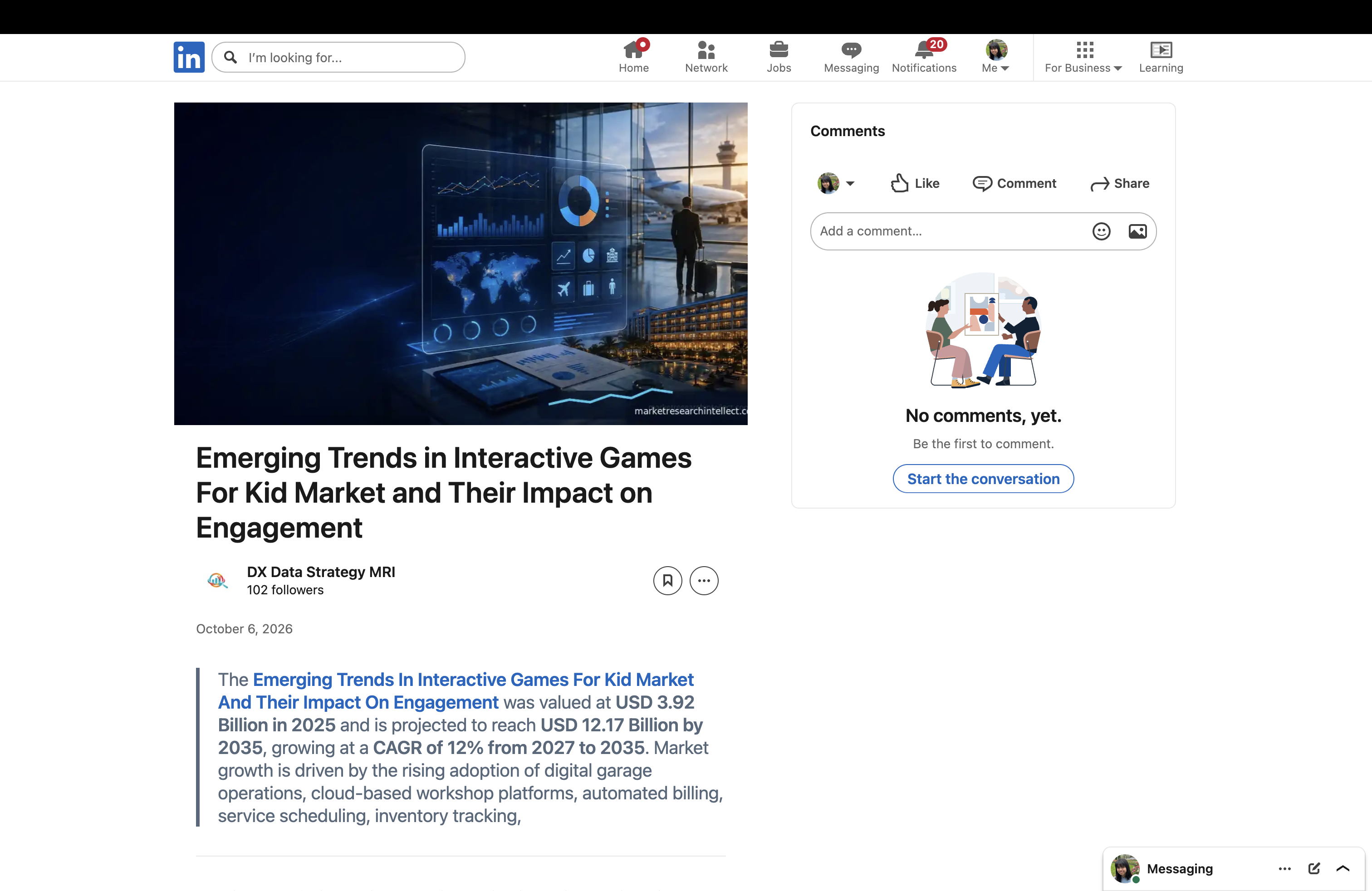
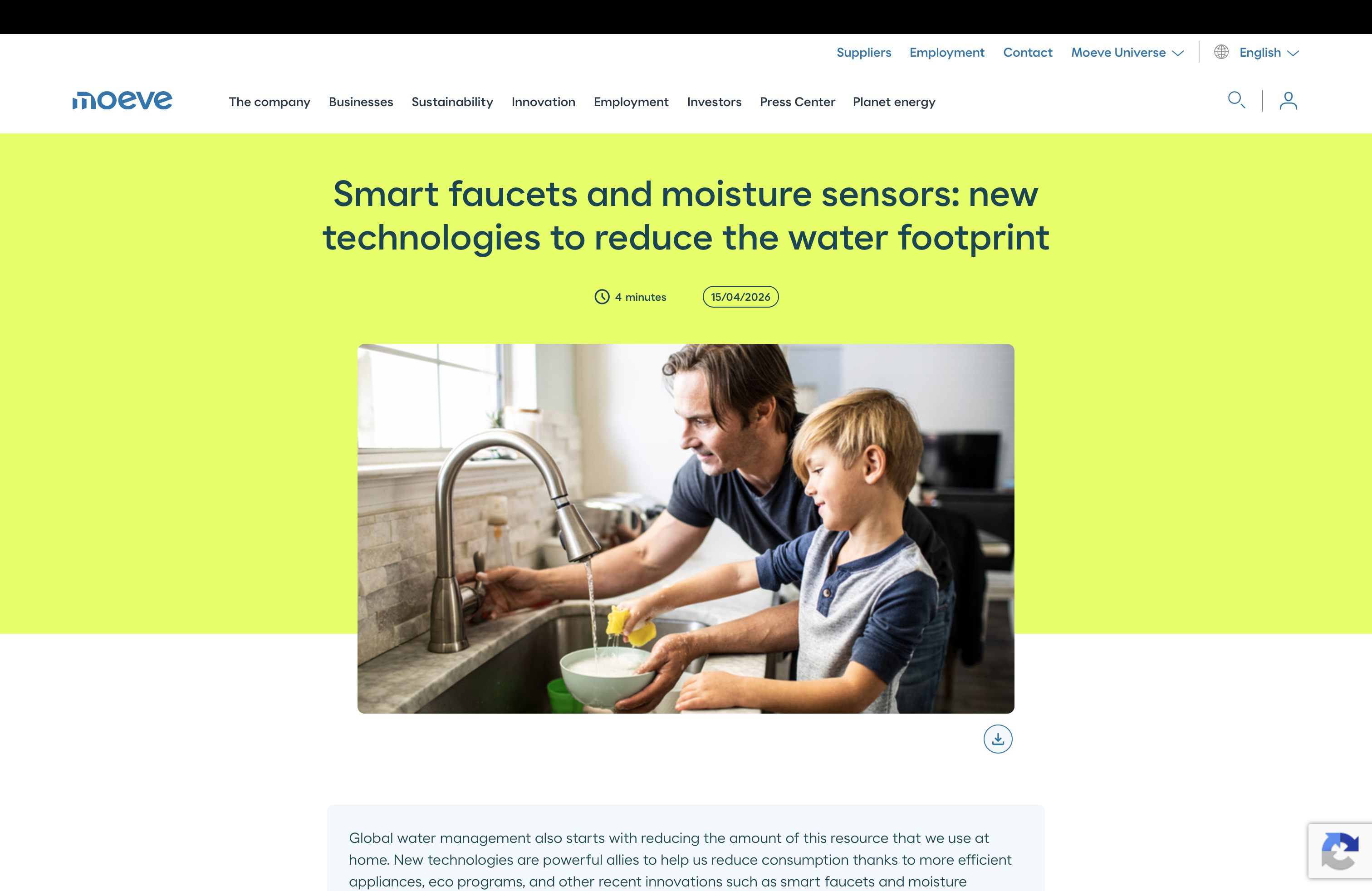
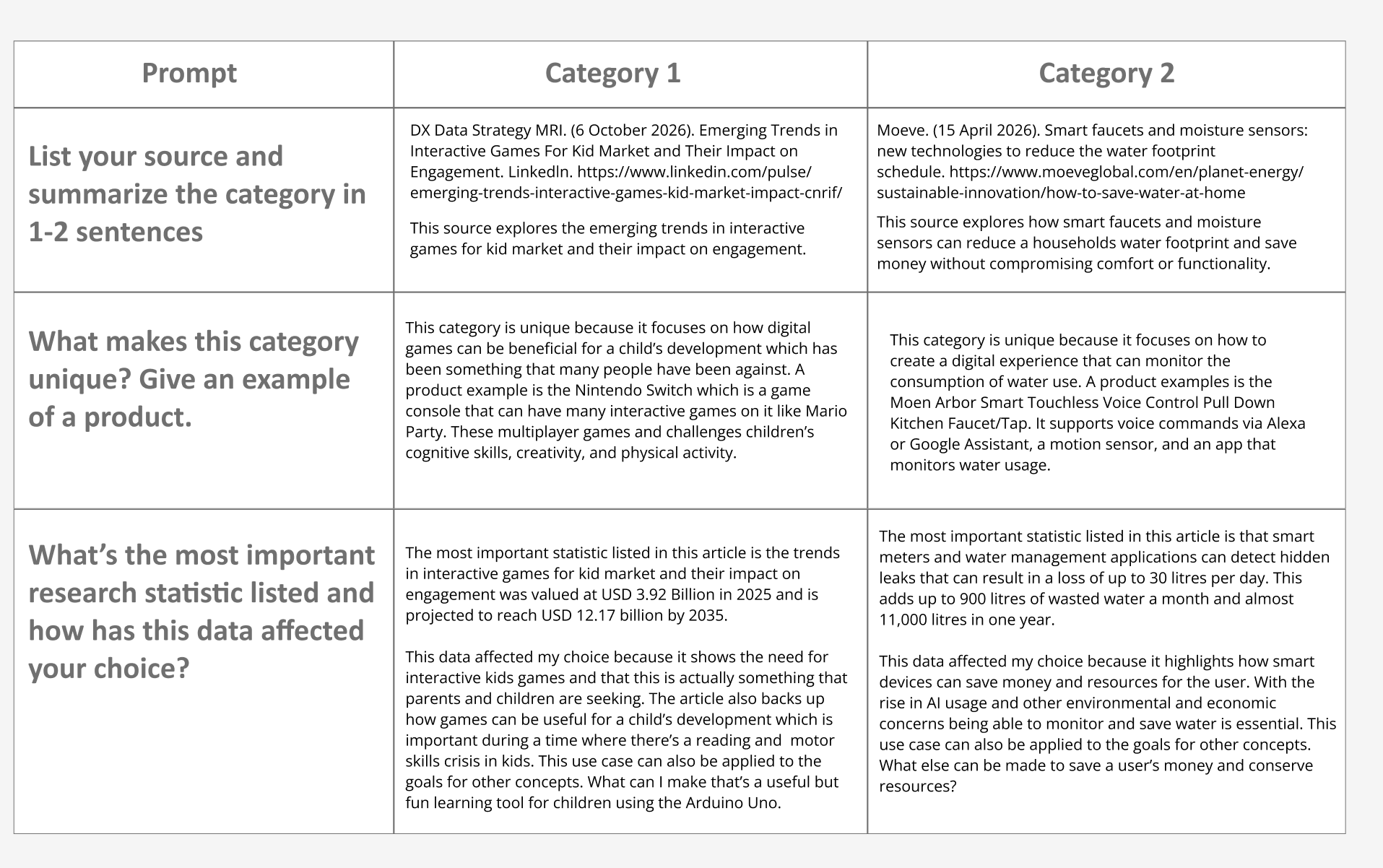
This is the first article I found. It covers the emerging trends in interactive games for kids. This is my citation for it: DX Data Strategy MRI. (6 October 2026). Emerging Trends in Interactive Games For Kid Market and Their Impact on Engagement. Linkedln. https://www.linkedin.com/pulse/emerging-trends-interactive-games-kid-market-impact-cnrif/. This is the second article I found on the increasing popularity of smart faucet and moisture sensors to reduce water footprint. This is my citation for it: Moeve. (15 April 2026). Smart faucets and moisture sensors: new technologies to reduce the water footprint
schedule. https://www.moeveglobal.com/en/planet-energy/sustainable-innovation/how-to-save-water-at-home. This is my completed activity based on the research I did on those two articles.

Personas Research

I found two other articles to strengthen my trend research and to create realistic personas based off of real concerns.
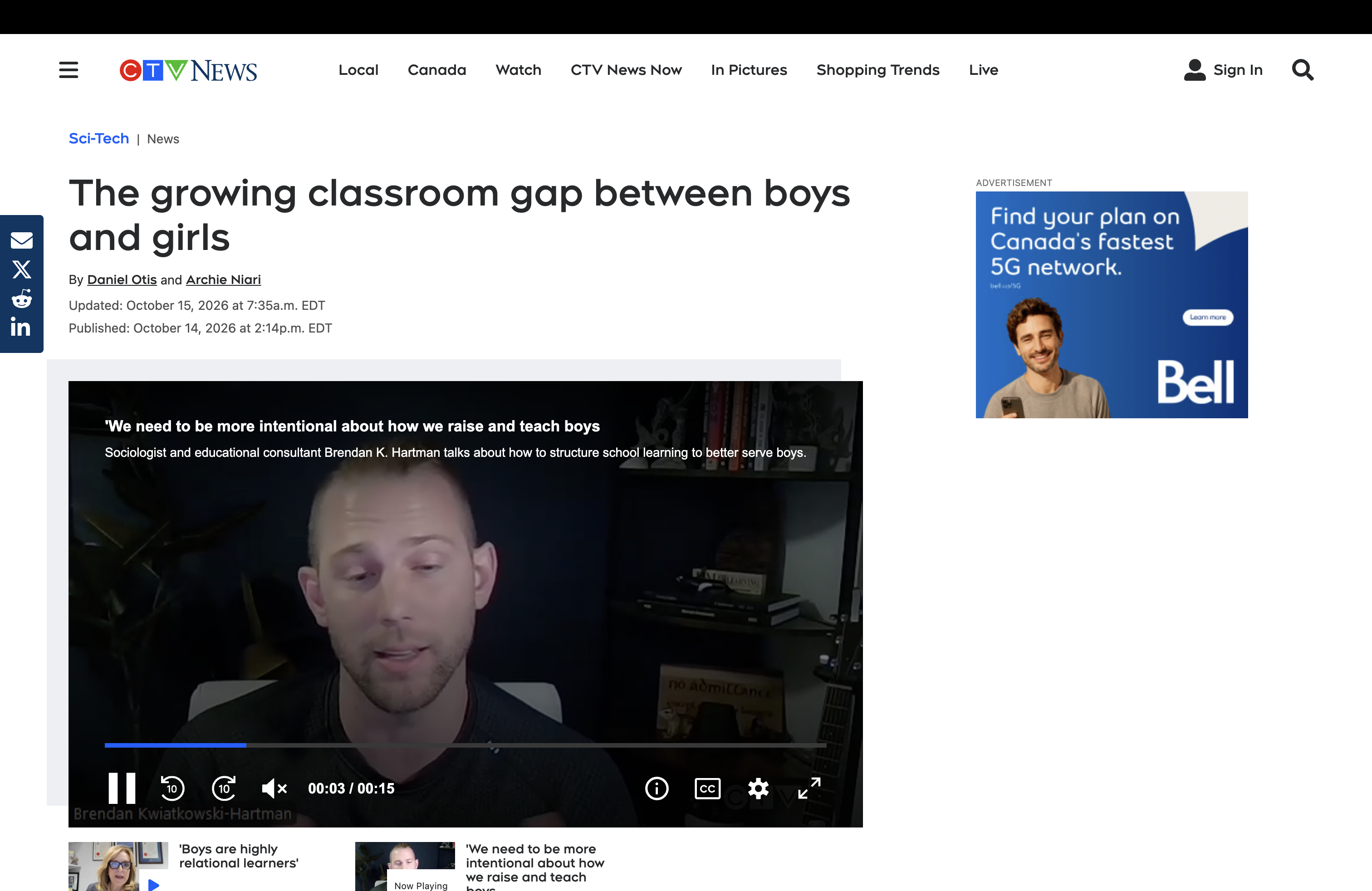

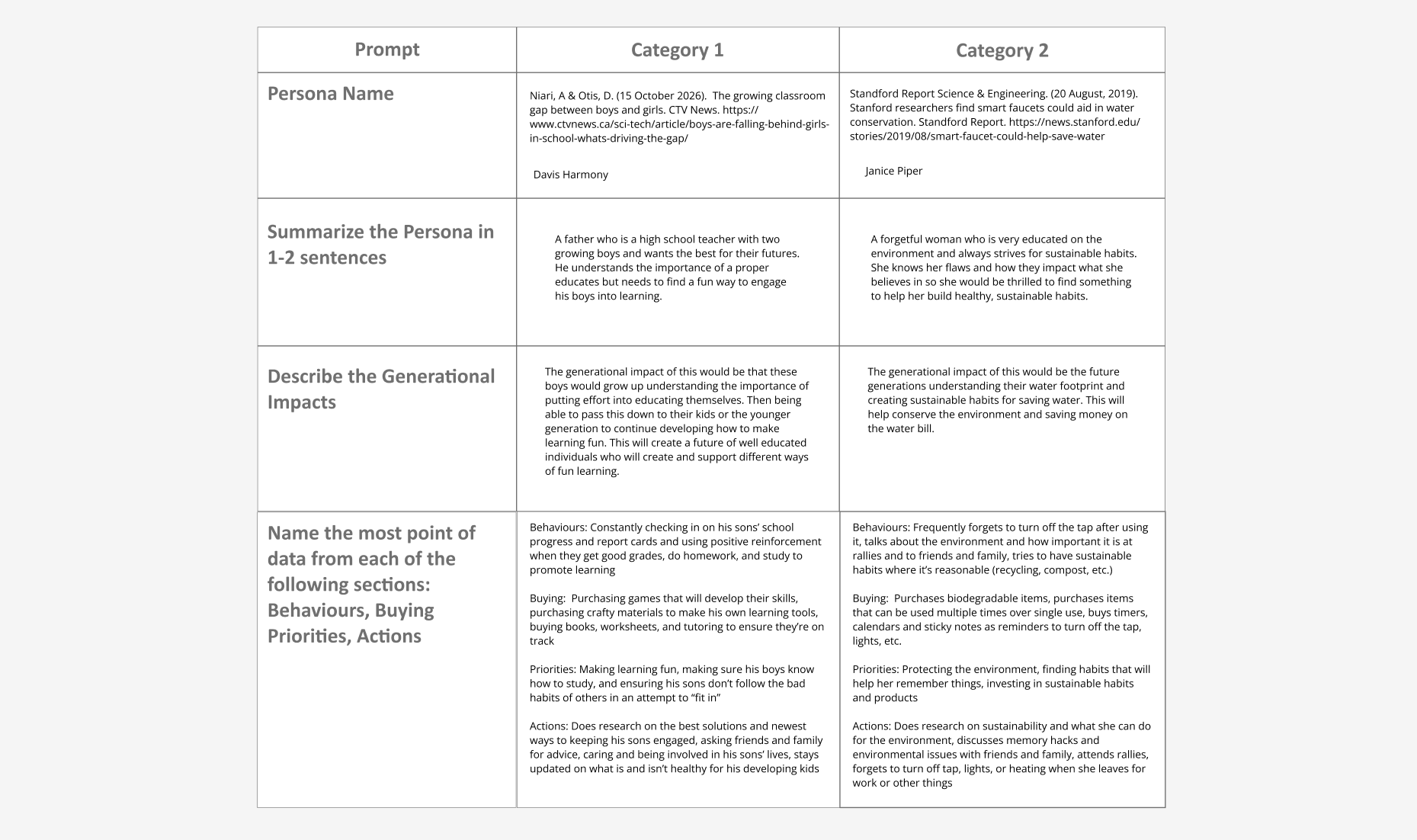
This article highlights how boys are falling behind compared to their girl counterparts. Using this information I was able to make a persona of a concerned father trying to encourage his sons to learn. The father is a teacher so he is actively watching the gap grow and wants to prevent that for his own children. This is my citation for this article: Niari, A & Otis, D. (15 October 2026).  The growing classroom gap between boys and girls. CTV News. https://www.ctvnews.ca/sci-tech/article/boys-are-falling-behind-girls-in-school-whats-driving-the-gap/. This article highlights how smart faucets aid in water conservation. They did user testing where they had participants wash dishes 3 times with a smart faucet. The faucet would alert the user of how much water they used and by the third time the user actually used less water. Based on this I made my persona who is forgetful but is willing to change and cares for the environment. This is my citations for the article: Standford Report Science & Engineering. (20 August, 2019). Stanford researchers find smart faucets could aid in water conservation. Standford Report. https://news.stanford.edu/stories/2019/08/smart-faucet-could-help-save-water. This is my completed activity based on the research I did on those two articles.

HMI Research

Based off of my previous research I created HMI/HMW statements that identify user issues and user behaviours that I wanted to stregthen.
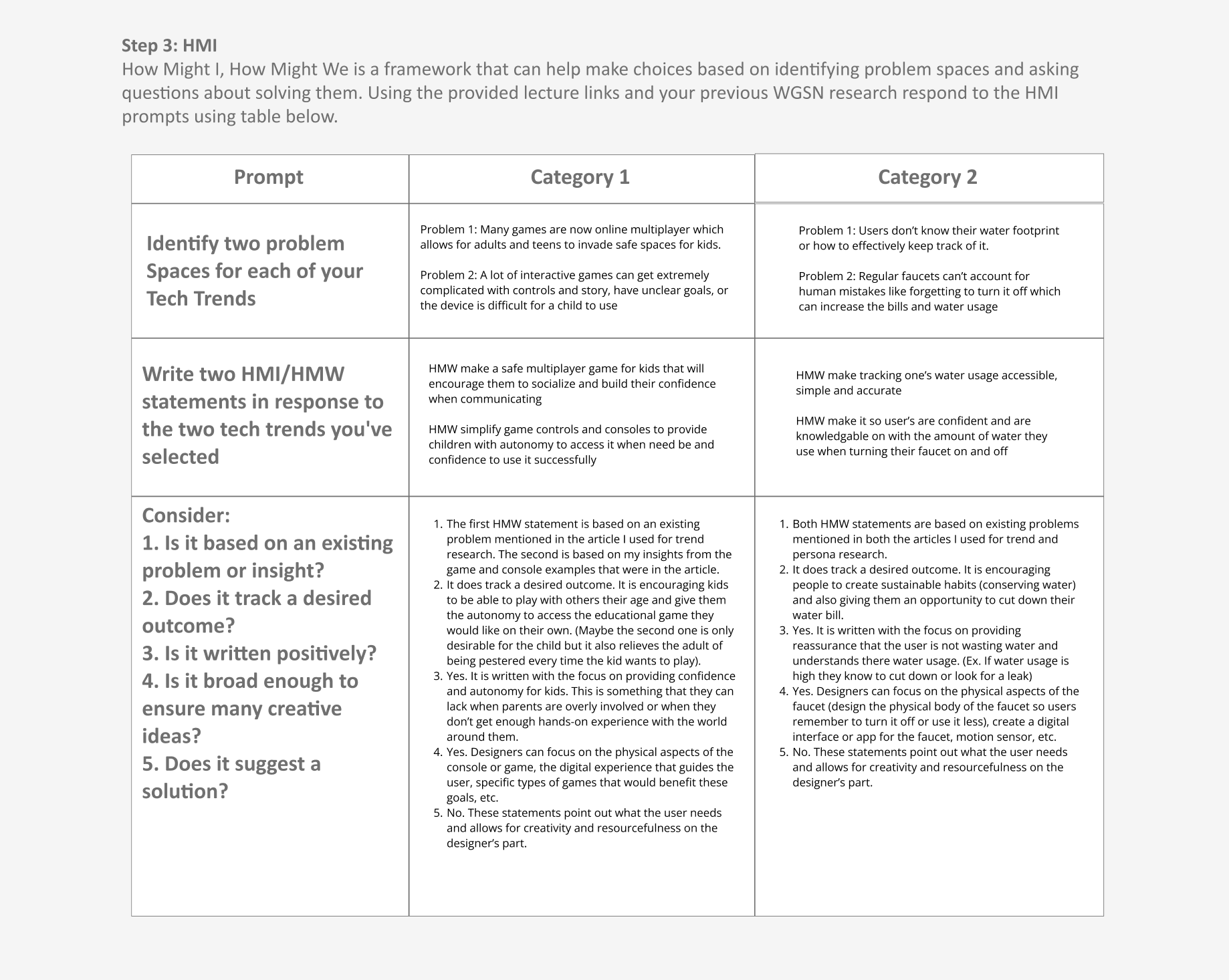
This is the table I filled out for my HMI/HMW research.

Project Path

The project path I wanted to take was the design path. Below is my reasoning backed up by the research I did.
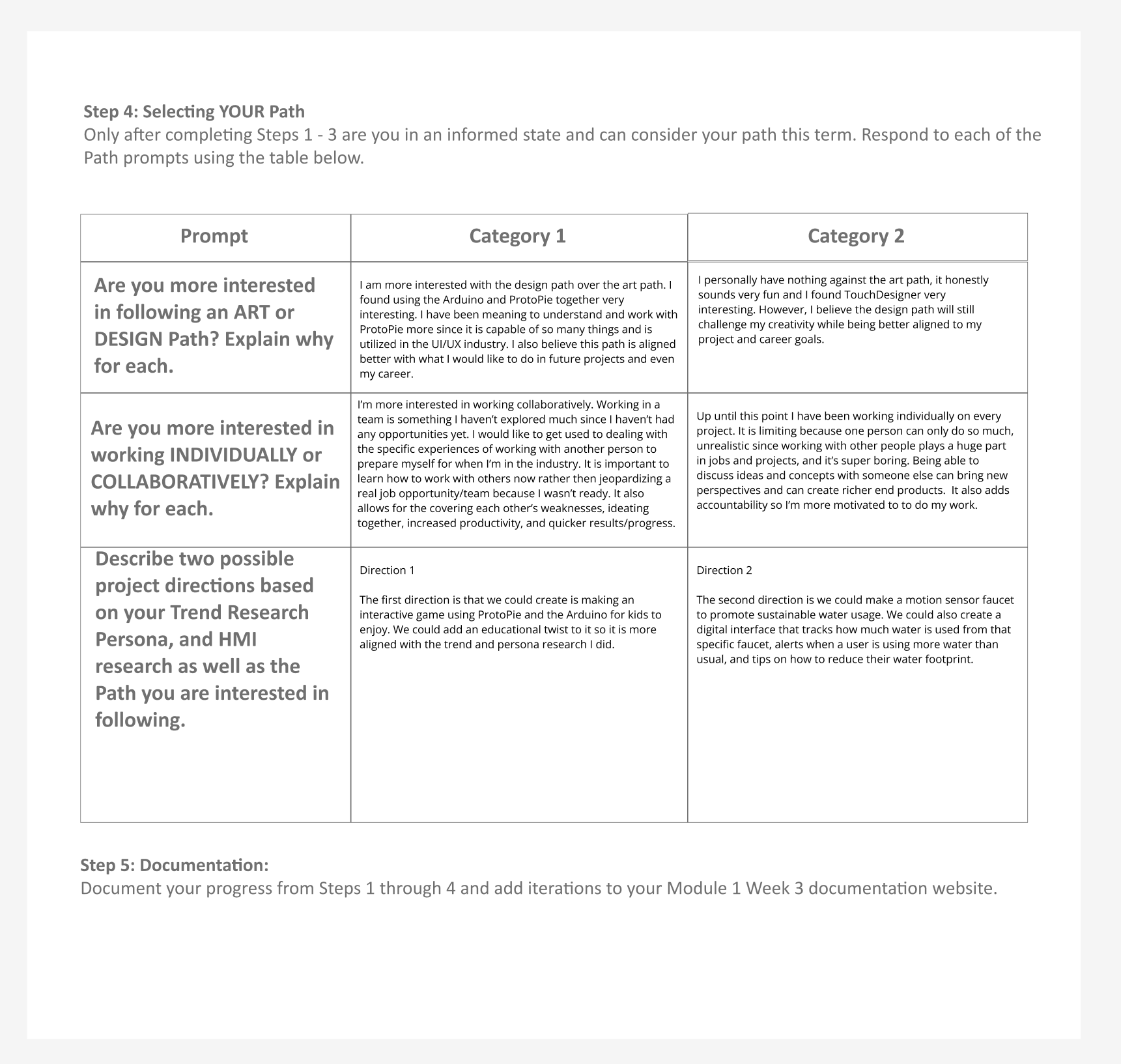
This is the table I filled out for my project path research.

Project 1 Concept


Project 1 Concept

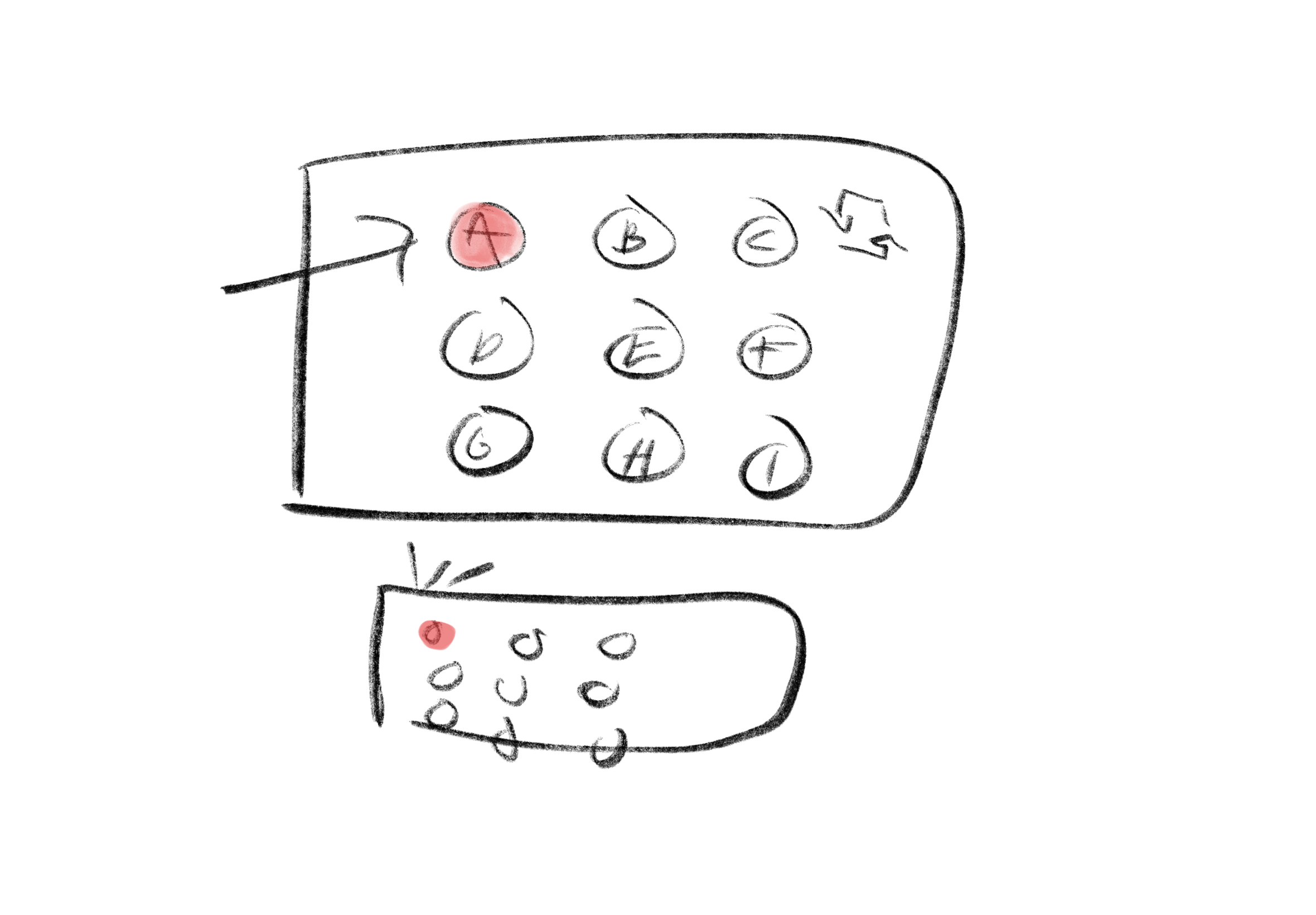
Our (Suki Sodhi is my partner) concept is an interactive, educational game of whac-a-mole for kids. There will be 9 lights on a bread board connected to the Arduino and the protopie screen will have 9 corresponding letters. When one of the 9 lights turn on, users have to say the corresponding letter in order to move on to the next round.
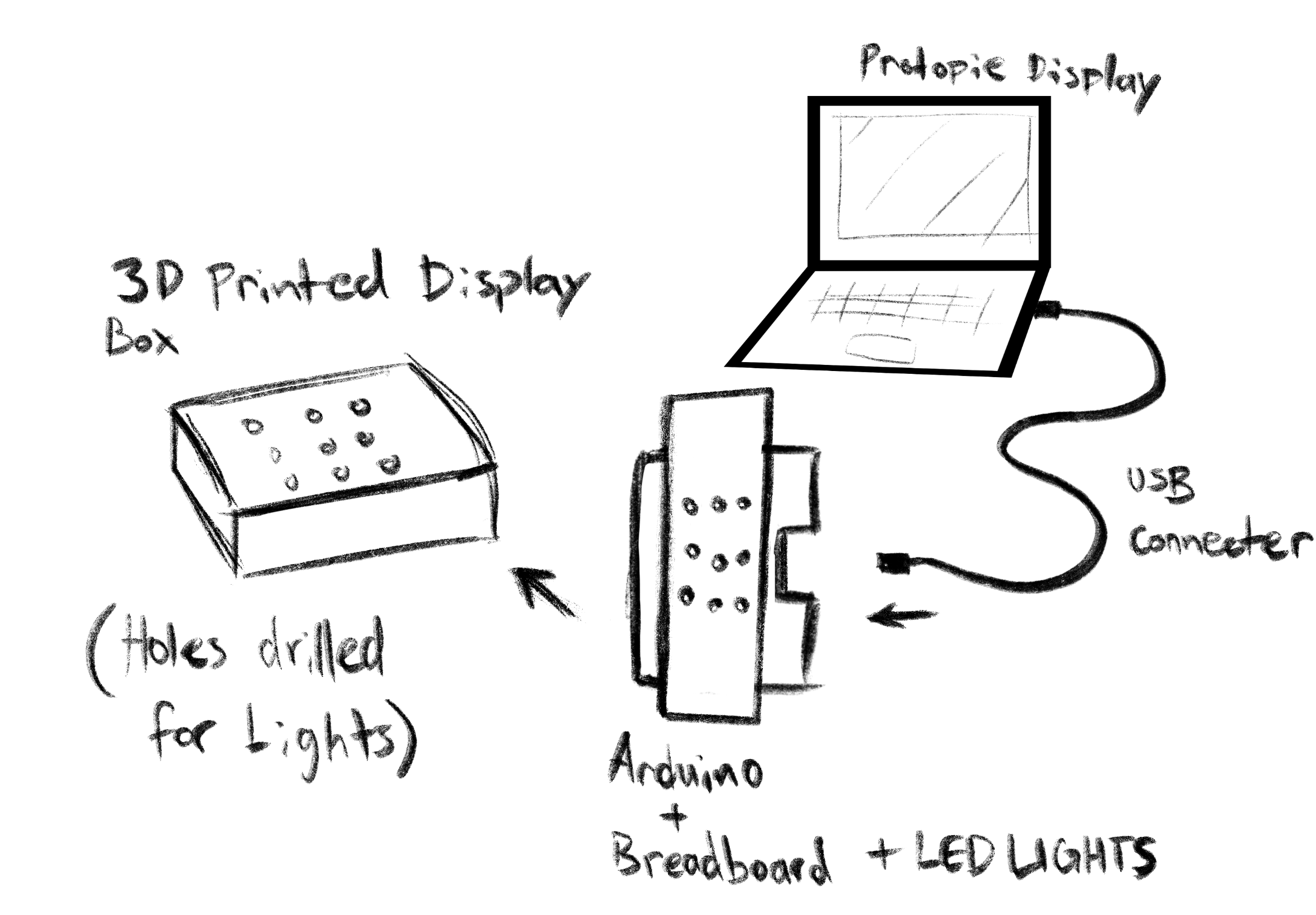
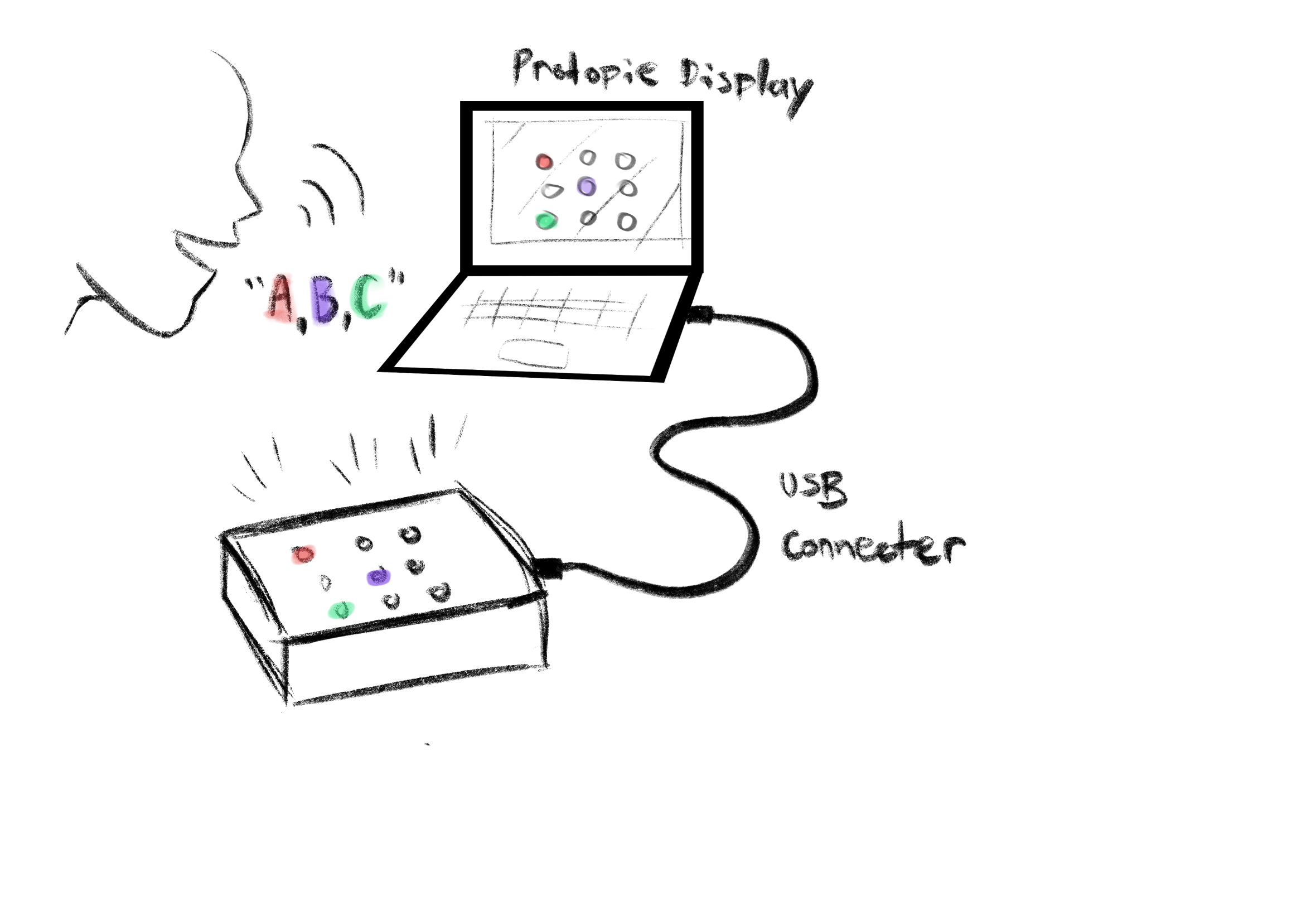
This is our concept with the pieces taken apart and labelled in order to display the breakdown what we're doing. This is our concept and how it would ideally work with a user. It also uses colours to represent the corresponding lights and letters. This is a close up of what the interface would look like. The top rectangle is the letters and the bottom rectangle is the bread board with lights inserted into it. The letters are in order for concept display purposes, in the actual game we would idaelly like there to be a shuffle so it isn't redudant.
×

Powered by w3.css